
WordPress plugins / Publisima Cache
Free WordPress pluginA faster WordPress, in one click.
Publisima Cache saves every page once it is built and serves it to the next visitors. Your theme, page builder and plugins stop rebuilding the page on every visit: the server responds sooner and your site feels faster.
Free, no paid version · WordPress 5.9+ · PHP 7.4+ · In English, Spanish, French, German, Italian and Portuguese
What it does
What a WordPress site needs to load fast, without options you don't understand.
Page cache
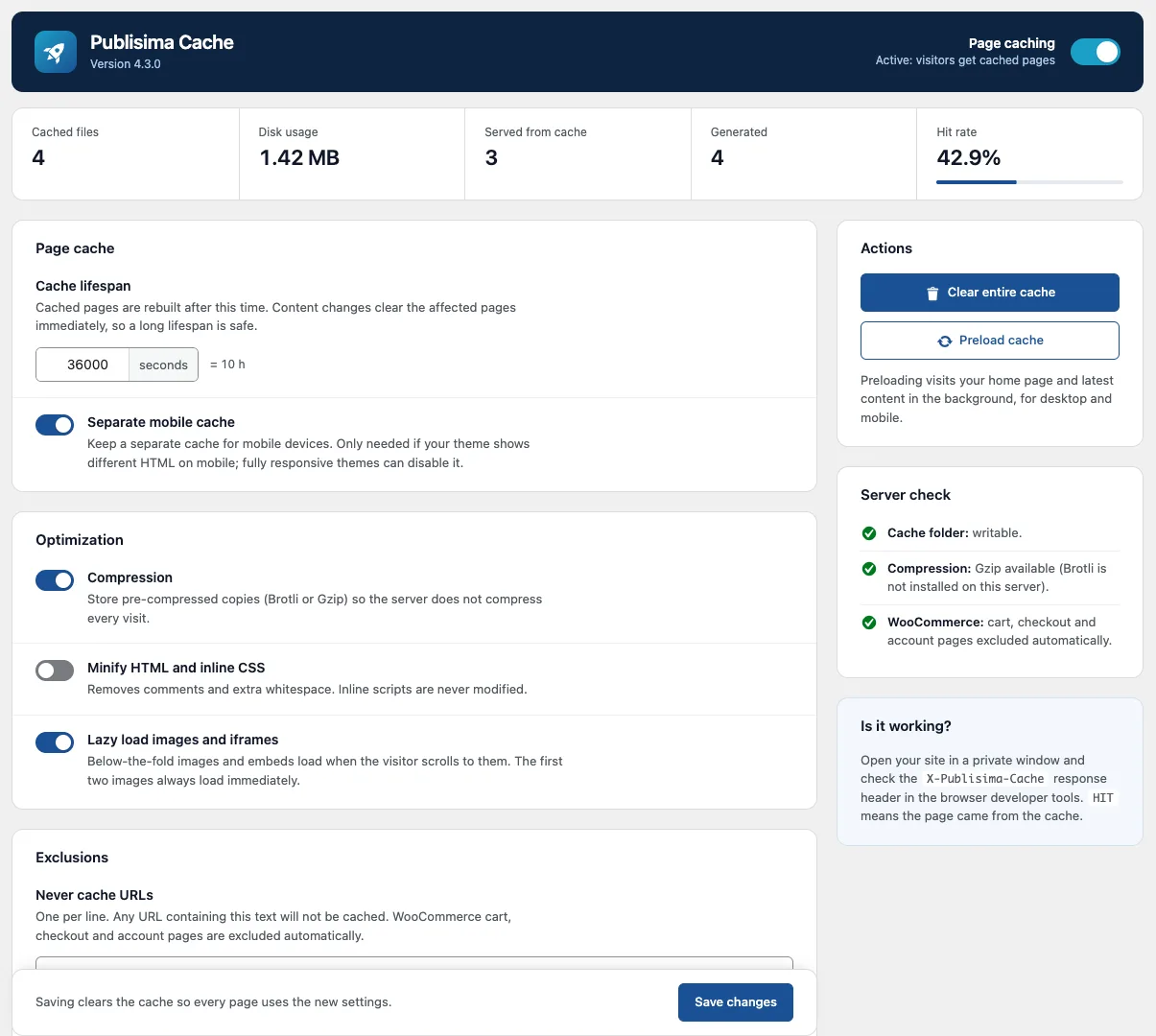
Turn it on with one switch. No server rules or files to edit. Background preloading for desktop and mobile.
Always up to date
When you publish or edit a post, its categories, tags, author, archives, pagination and home page are refreshed automatically.
WooCommerce ready
Cart, checkout and My Account are never cached, in any language. Product pages refresh when the stock changes.
Brotli and Gzip
Stores pages already compressed, so the server does not have to compress them on every visit.
Safe minification
Removes comments and whitespace from HTML and CSS, and never touches JavaScript, so nothing breaks.
Lazy load
Images, videos and maps load when the visitor scrolls to them. The logo and main image load right away.
How to install
- In your WordPress admin, go to Plugins → Add New and search for “Publisima Cache”.
- Click Install, then Activate.
- Open Publisima Cache in the menu, turn on page caching and save.
- In a private window, check that the
X-Publisima-Cacheheader saysHIT.
Open source, GPL licence.
- No premium version, no ads, no account.
- Automatic updates from WordPress.org.
- Support on the official forum, from the people who build it.
- Uninstalling leaves nothing behind.
FAQ
Is it really free?
Yes. Publisima Cache is free and open source (GPL). There is no premium version, no ads and no account required.
How do I know the cache is working?
Open your site in a private window and check the X-Publisima-Cache header in the browser developer tools. HIT means the page came from the cache; MISS means it was generated and saved for the next visitor.
Does it work with WooCommerce?
Yes. Cart, checkout and My Account pages are detected automatically and never cached, whatever their slug. Shoppers with items in the cart always see the live store, and product pages are refreshed when the stock changes.
Does it work with Elementor, Divi or Gutenberg?
Yes. The plugin stores the final HTML of the page, so it works with any theme or page builder.
Can I use it with another caching plugin?
Use only one page cache plugin at a time. Publisima Cache warns you if it detects WP Rocket, LiteSpeed Cache, W3 Total Cache, WP Super Cache or WP Fastest Cache.
Does it work on shared hosting or Nginx?
Yes. Cached pages are served by PHP, so no server configuration is needed. It only needs to write files to the uploads folder, which almost every host allows; the settings page checks it for you.
Where can I get help?
On the WordPress.org support forum, where we answer ourselves. If you want us to speed up your site, get in touch.
Want an even faster site?
Beyond caching, we review images, plugins, hosting and Core Web Vitals to make your WordPress or WooCommerce site as fast as it can be.